 Tracefolio REPORTS & ISSUES
 턴룸 › Design Data Table검토
Excel ribbon comparison
기존 기록 이전원문에 기록된 작업 내용과 당시 검증 범위를 정리한 보관 기록입니다.
보관 기록 · 결과와 검증 범위는 원문 작성 시점을 기준으로 읽어주세요.
Excel ribbon comparison
Excel ribbon comparison
Reference: Microsoft Support screenshots and formatting documentation. The reference covers Excel 2024/2021 and includes desktop and web sections; it is not a verified current Microsoft 365 desktop build. An Excel 2016 desktop training reference was used for tab/group order.
| Area | Applied | Remaining difference |
|---|---|---|
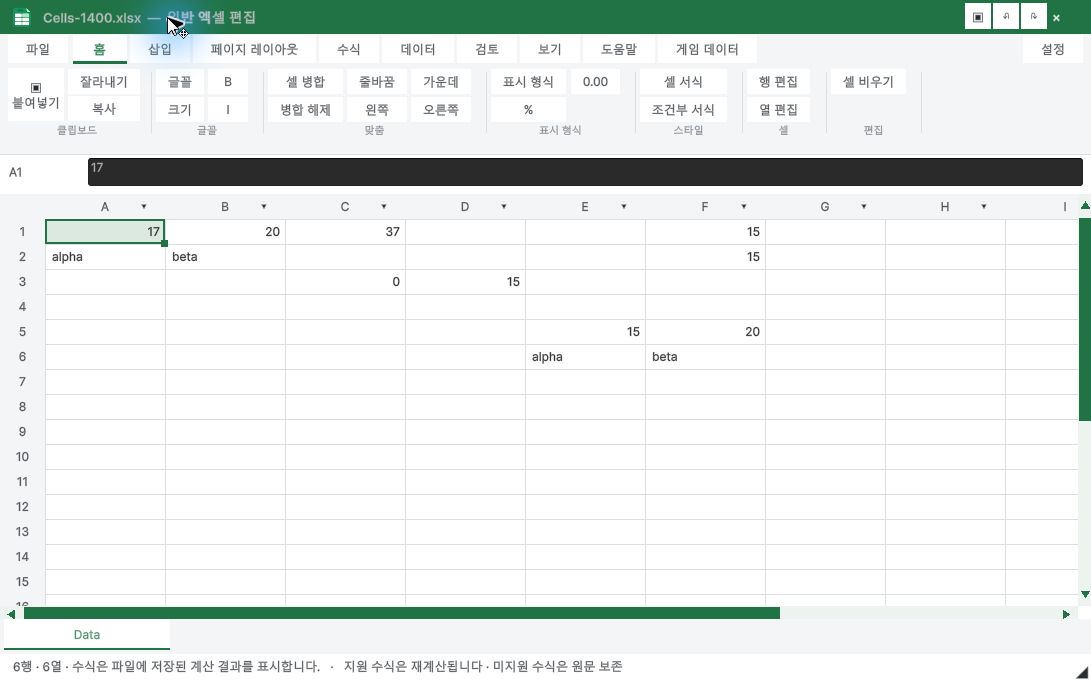
| Tabs | File, Home, Insert, Page Layout, Formulas, Data, Review, View, Help; Game Data extension | Optional Draw/Automate/Developer/contextual tabs are not replicated |
| Home | Clipboard, Font, Alignment, Number, Styles, Cells, Editing; large Paste; quick access | Font/number details use our Format Cells popup; icons and control geometry are not identical |
| Game Data | Same structure, orange identity | Typed game editor does not apply workbook presentation formatting; controls disabled |
| Page Layout / Review | Tab positions retained | Print/page setup and full Excel review commands are not implemented |
General workbook — actual Unity capture
Game data — actual Unity capture
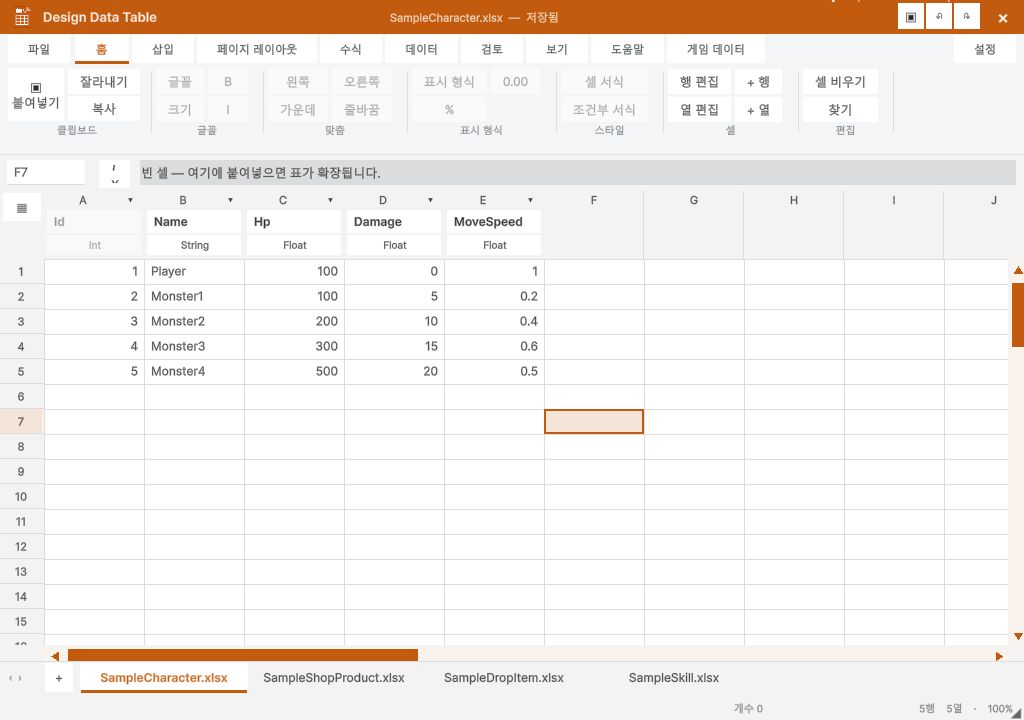
Native UI check: A1 bold via Home button, dirty title, Ctrl+Z restored regular font and clean title. This is a layout and supported-command update, not full Excel parity or native Excel execution acceptance.
원문과 편집 이력
- 원문 SHA-256:
588ed8054fd1f3e8bb7fd579b85b9a5fbdd9ac18ac1f4c0612c0a3a59f7bbb5f - 표시 날짜는 원본 파일의 수정 시각입니다. 작업 완료 시각은 원문에 있는 값을 기준으로 확인합니다.