 Tracefolio REPORTS & ISSUES
 CodeAssist버그
옵션 페이지 이동 재검증
기존 기록 이전원문에 기록된 작업 내용과 당시 검증 범위를 정리한 보관 기록입니다.
 접수
 검토
 진행
 해결
 종료
당시 보고서의 해당 작업 범위. 현재 제품 재실행 또는 전체 완수 판정이 아님.
옵션 페이지 이동 재검증
옵션 페이지 이동 재검증
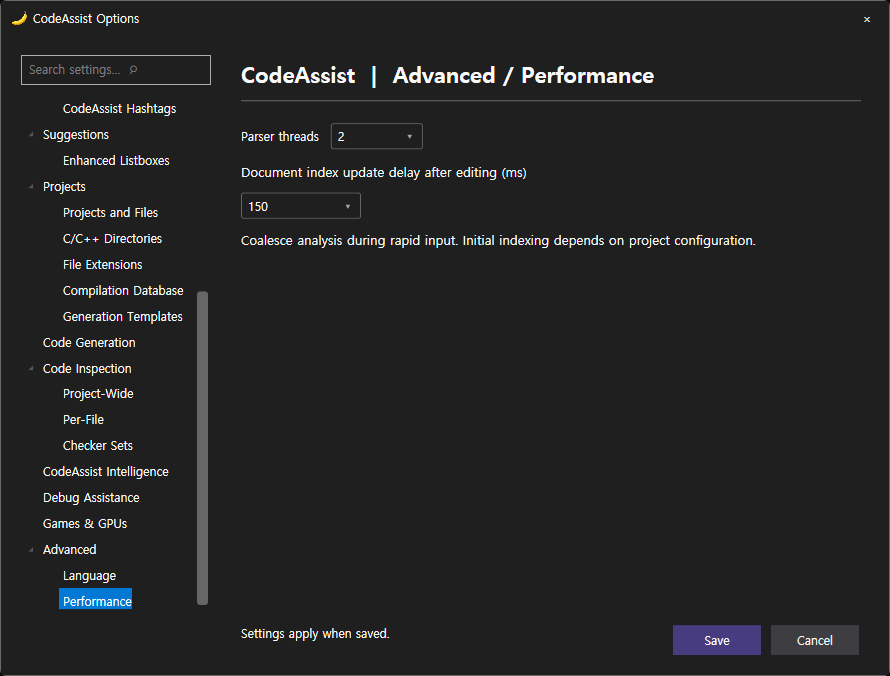
VA: 이번 최신 실행. CA: 같은 작업 중 먼저 완료한 20261018-021621-OptionsRetest 실행을 사용했습니다. 17개 입력 명세가 동일한지 확인했습니다. 최신 CA 재실행은 시작되지 않았으며, 같은 실행 ID의 완전 대조로 보고하지 않습니다. CA 원본 링크는 해당 이전 실행 폴더로 연결했습니다.
검증된 양쪽 페이지 17/17 (100.0%). 이 비율은 옵션 페이지 이동 검증률이며 전체 기능 동기화율이 아닙니다.
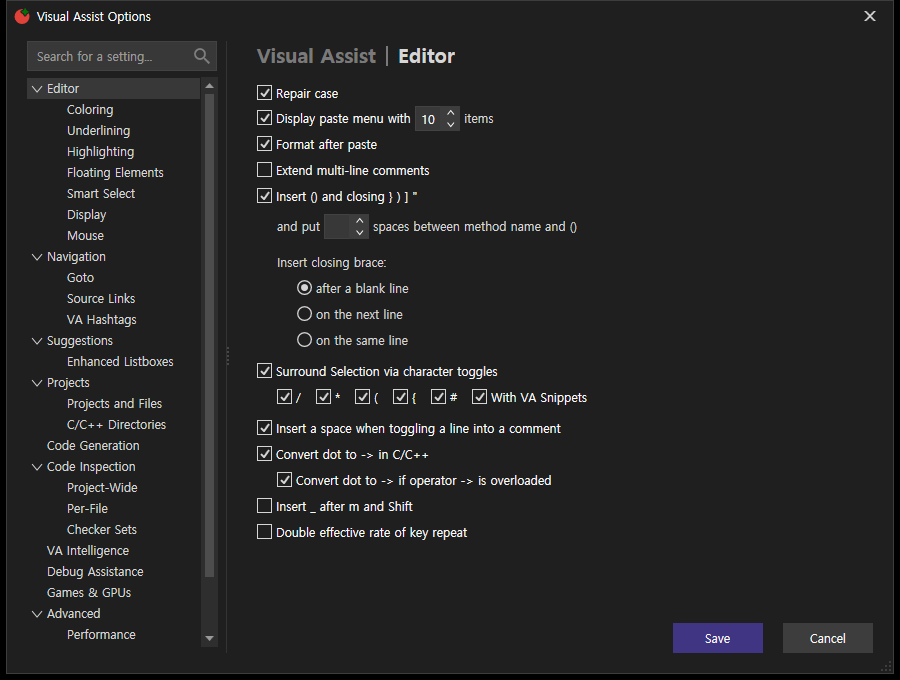
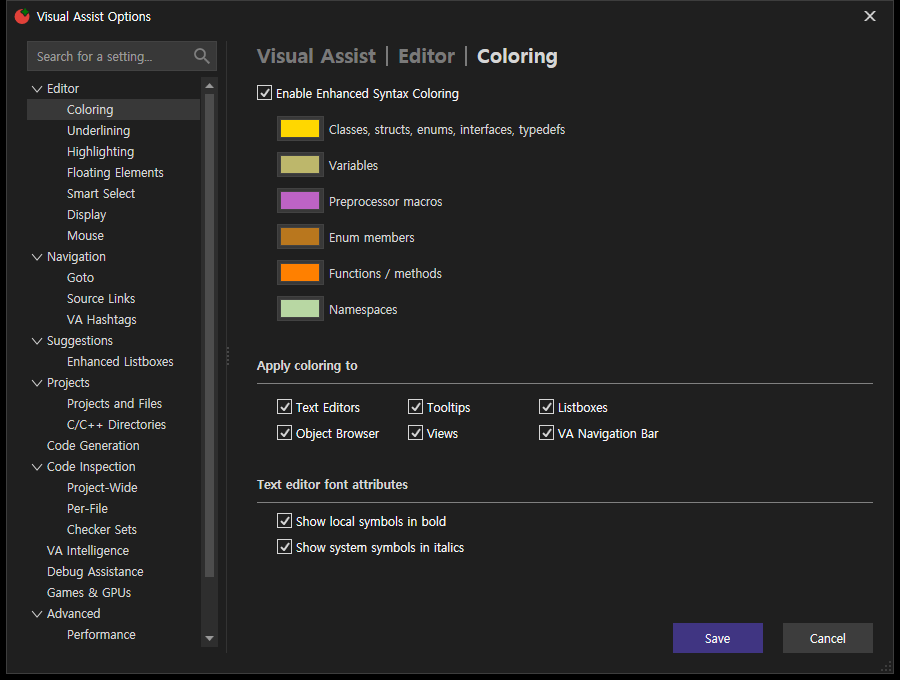
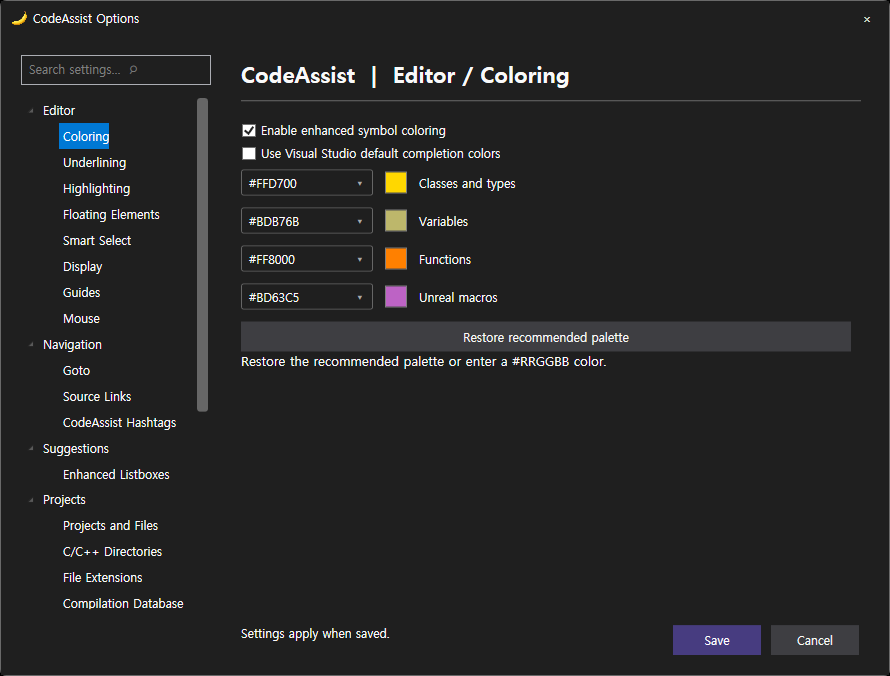
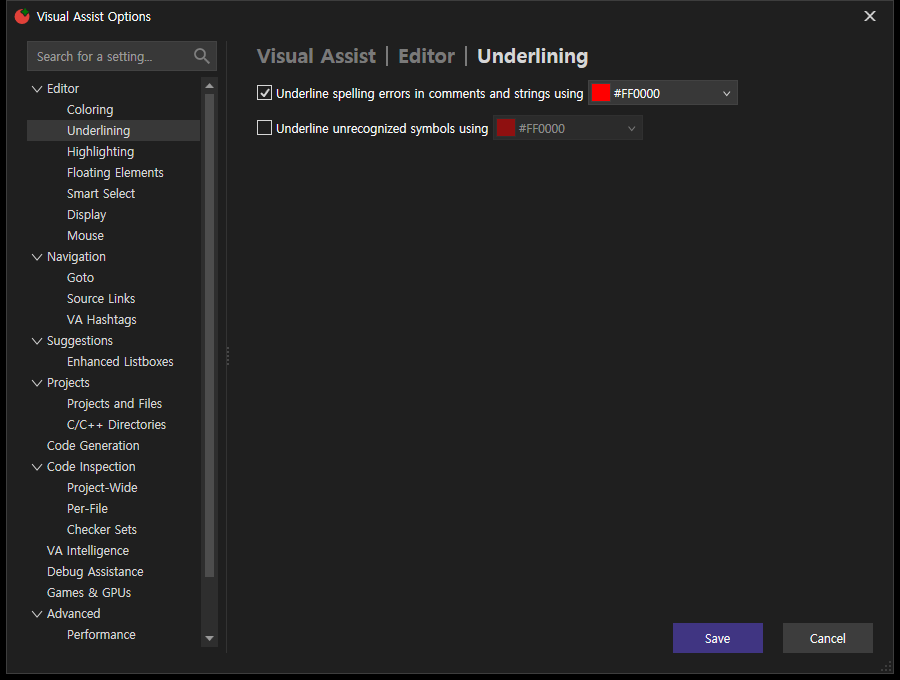
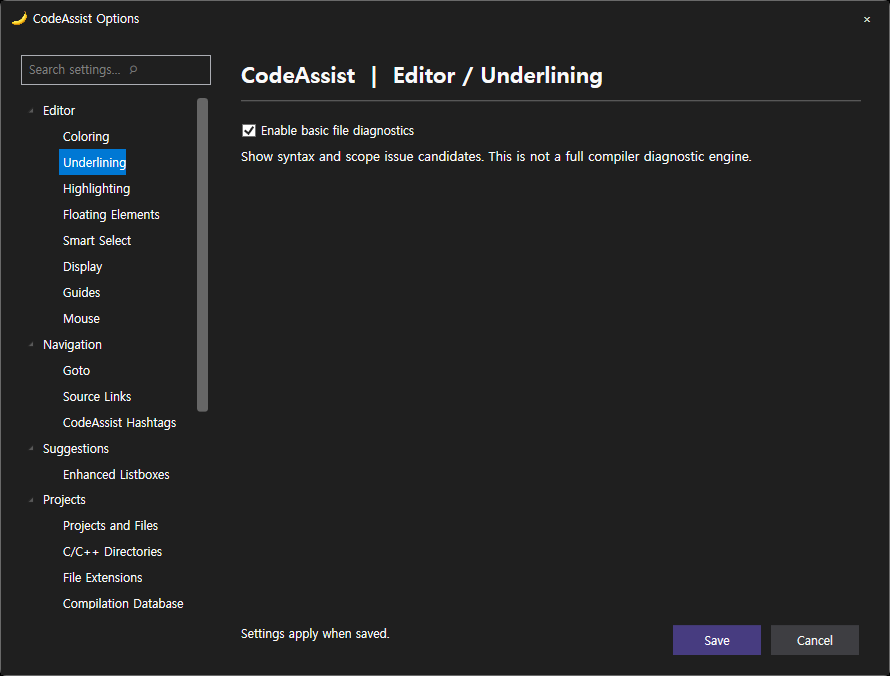
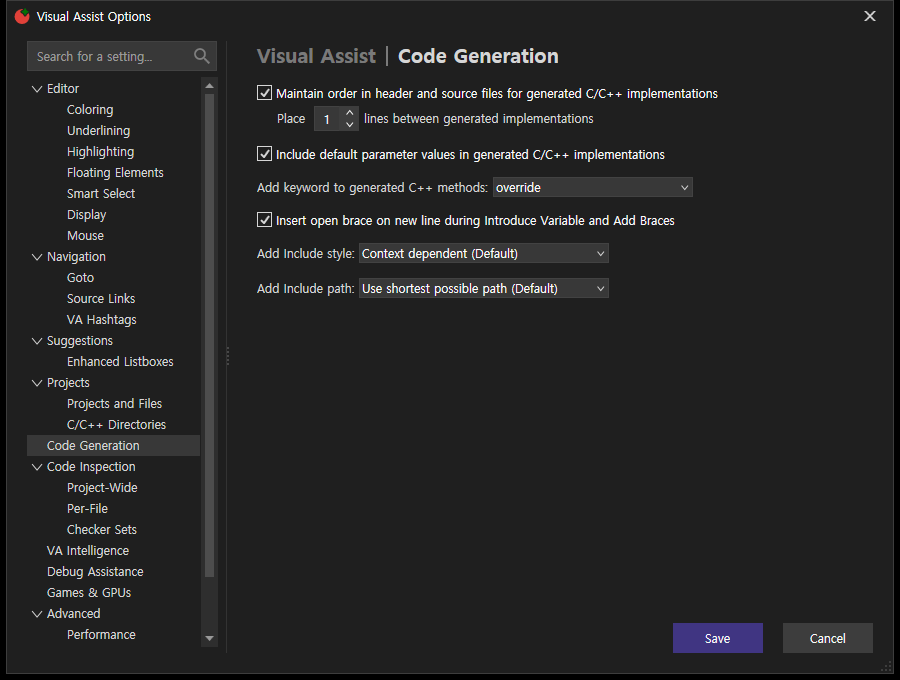
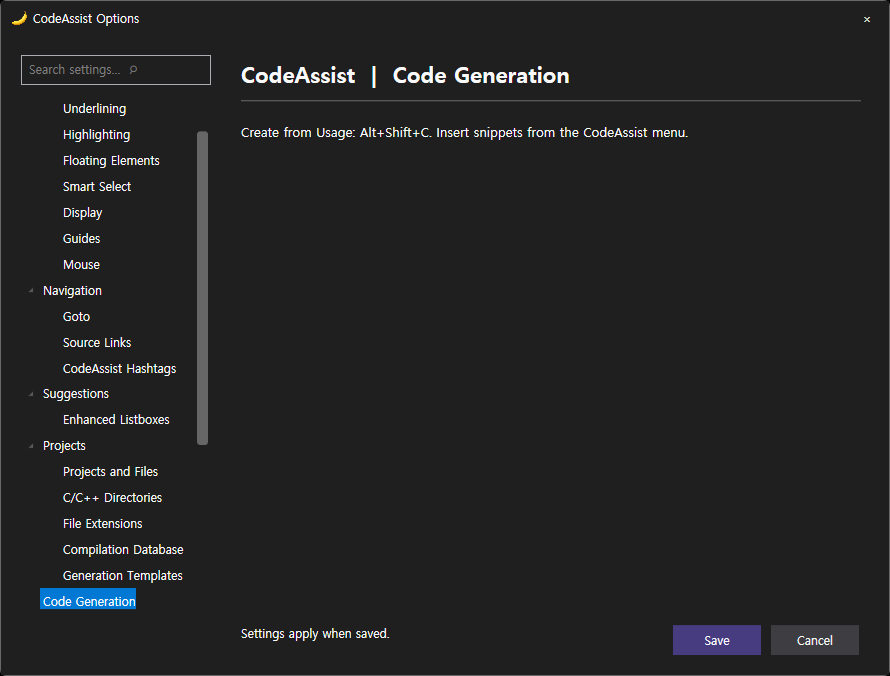
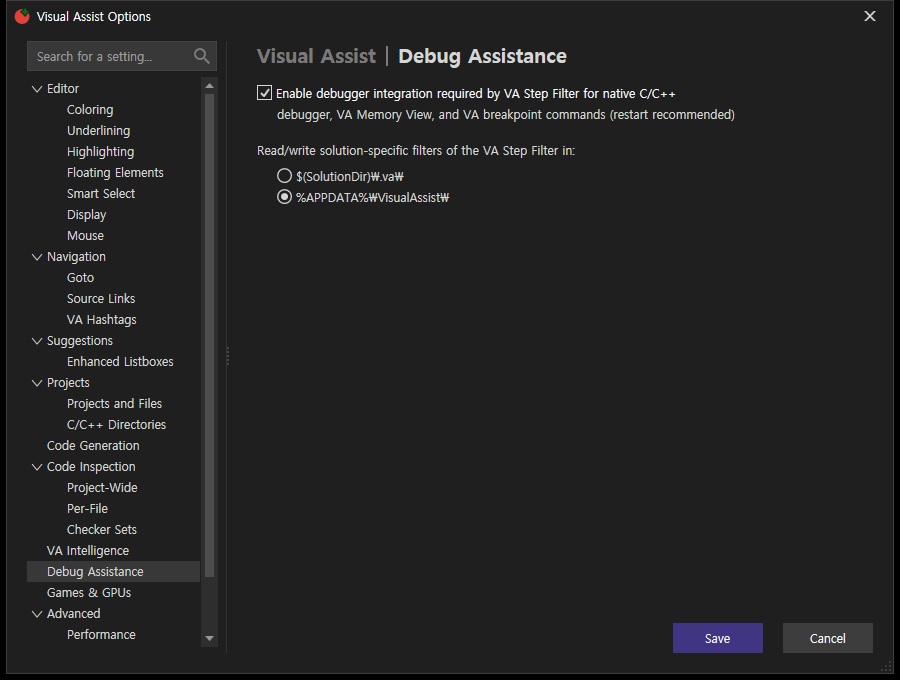
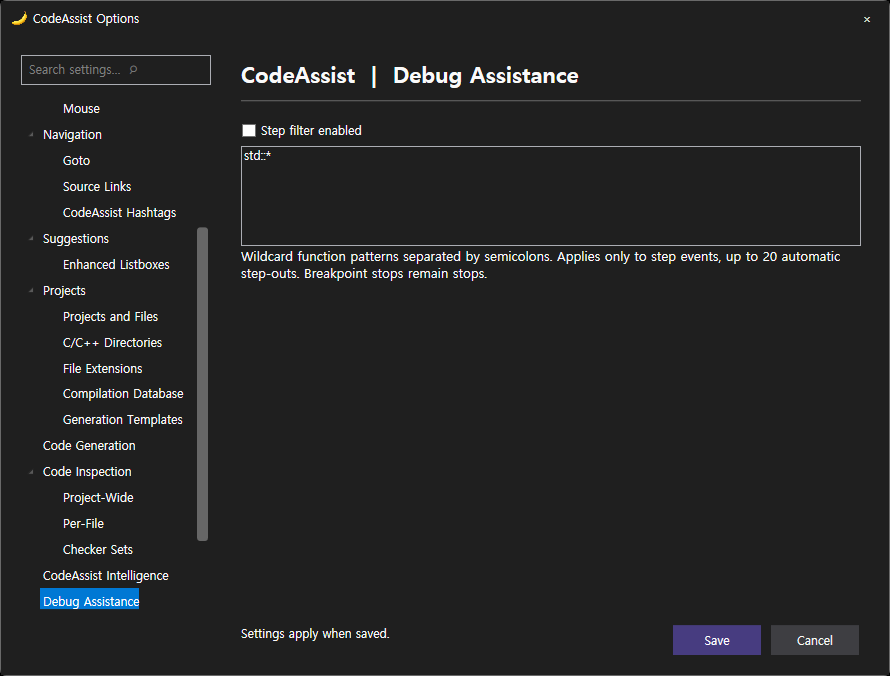
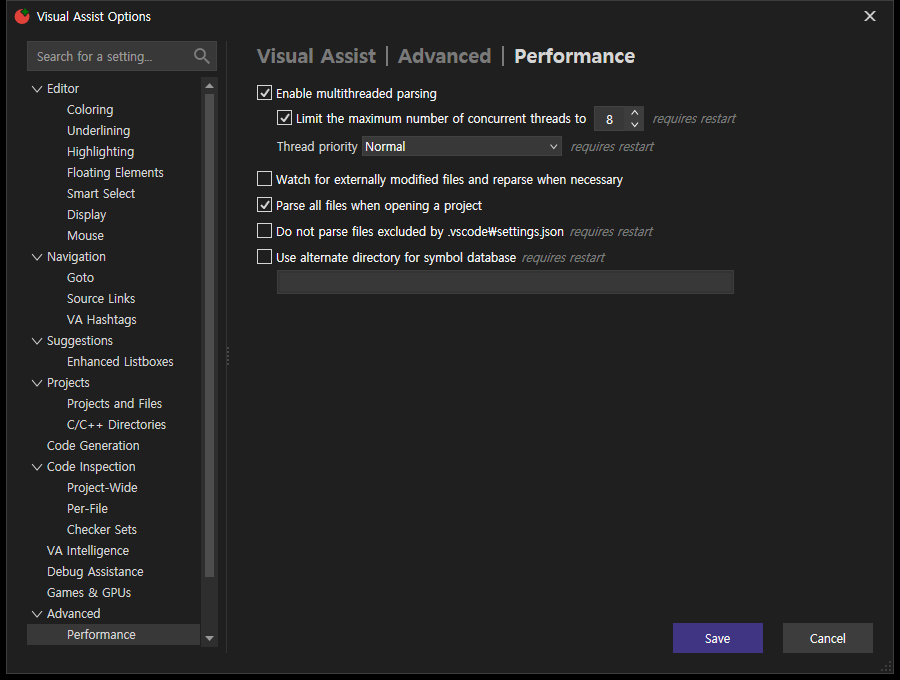
VA 옵션은 WPF 창이며 외부 UIA가 본문을 노출하지 않았습니다. 내부 WPF 트리에서 표시 텍스트를 찾아 선택하고, 전환 후 표시된 제목으로 판정합니다. 재생성돼 끊어진 트리 객체는 성공 근거로 삼지 않습니다. 숨겨진 컨트롤을 제외하고 표시된 체크박스/라디오 버튼을 읽었습니다. 설정을 적용하거나 저장하지 않았습니다.
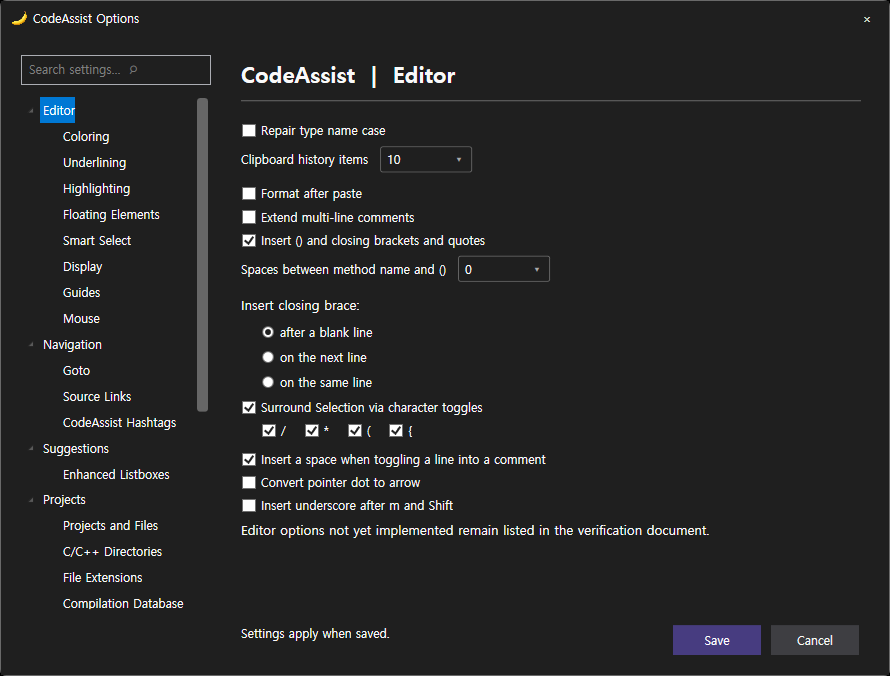
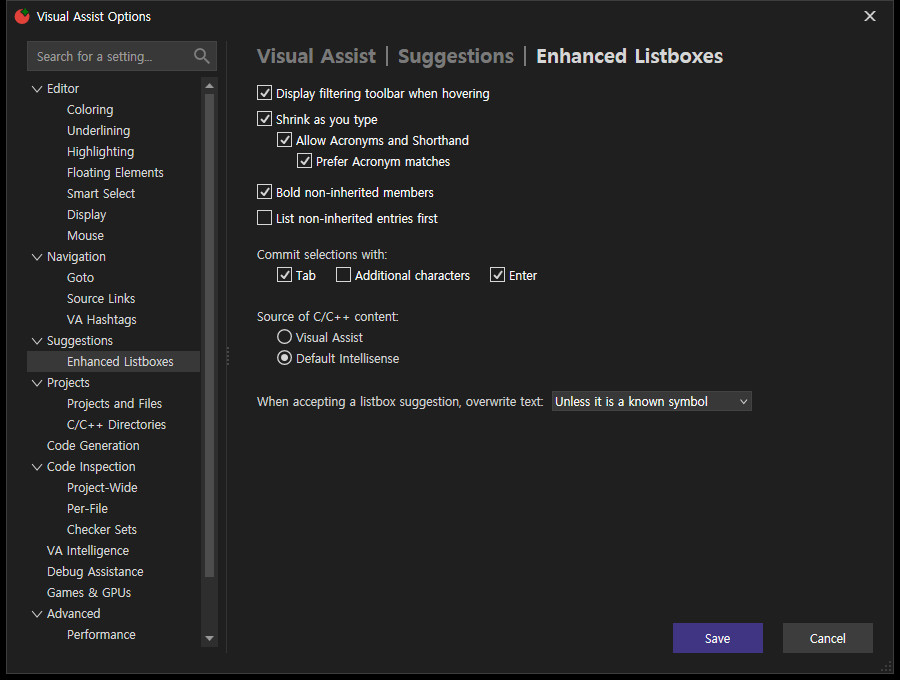
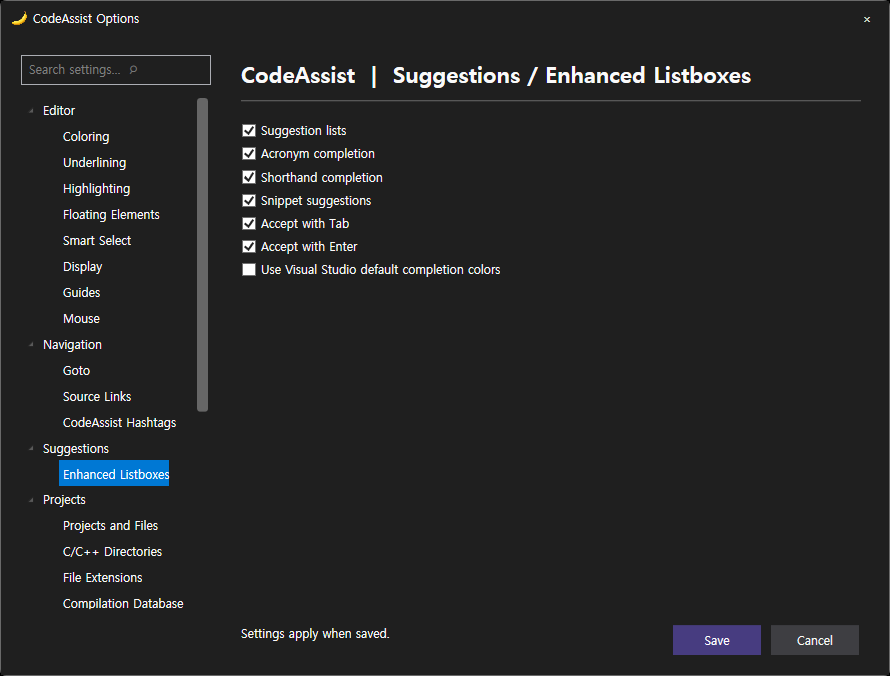
아래 항목 개수 차이는 표시 UI의 차이이며, 개수만으로 기능 부재를 확정하지 않습니다. Checkbox/RadioButton 포함; 텍스트 입력/목록/설명문은 제외했습니다.
| 페이지 | 양쪽 이동 확인 | VA 토글/라디오 | CA 토글/라디오 |
|---|---|---|---|
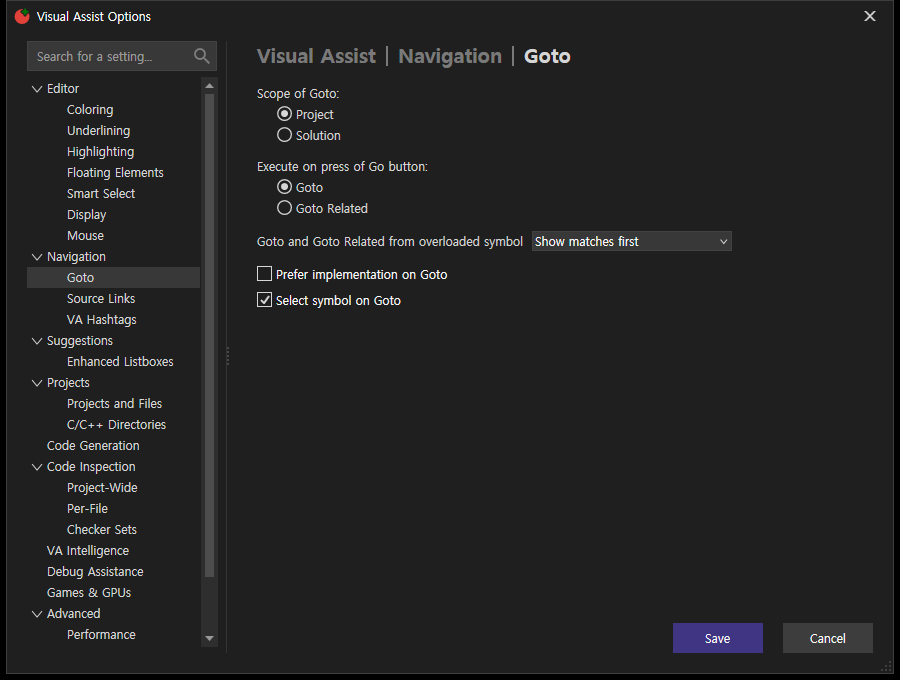
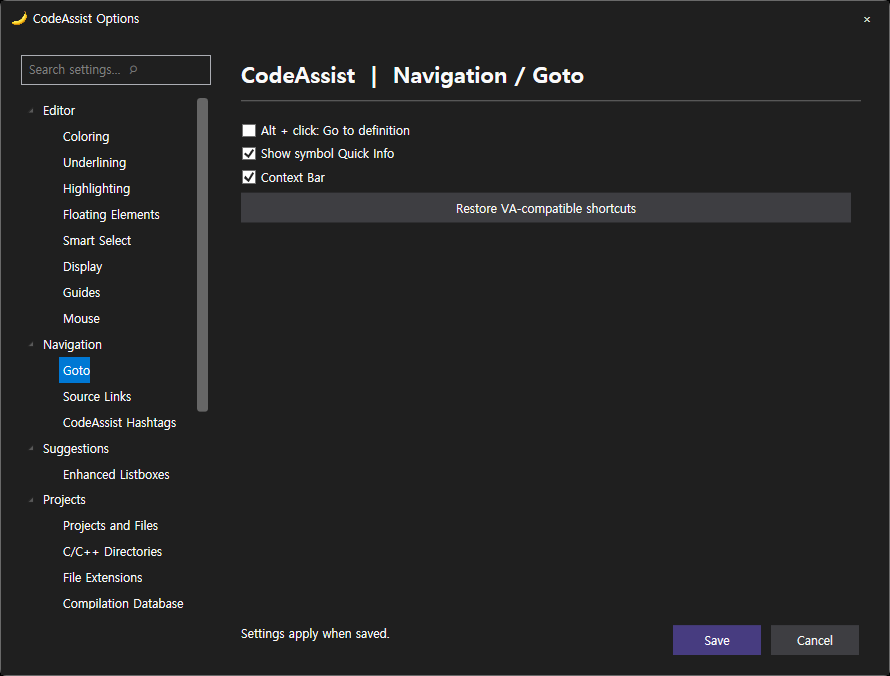
| Goto | True | 6 실제 표시 항목 Select s_ymbol on Goto = True Prefer _implementation on Goto = False Goto _Related = False _Goto = True _Solution = False _Project = True 화면 원본 | 3 실제 표시 항목 Alt + click: Go to definition = Off Show symbol Quick Info = On Context Bar = On 화면 원본 |
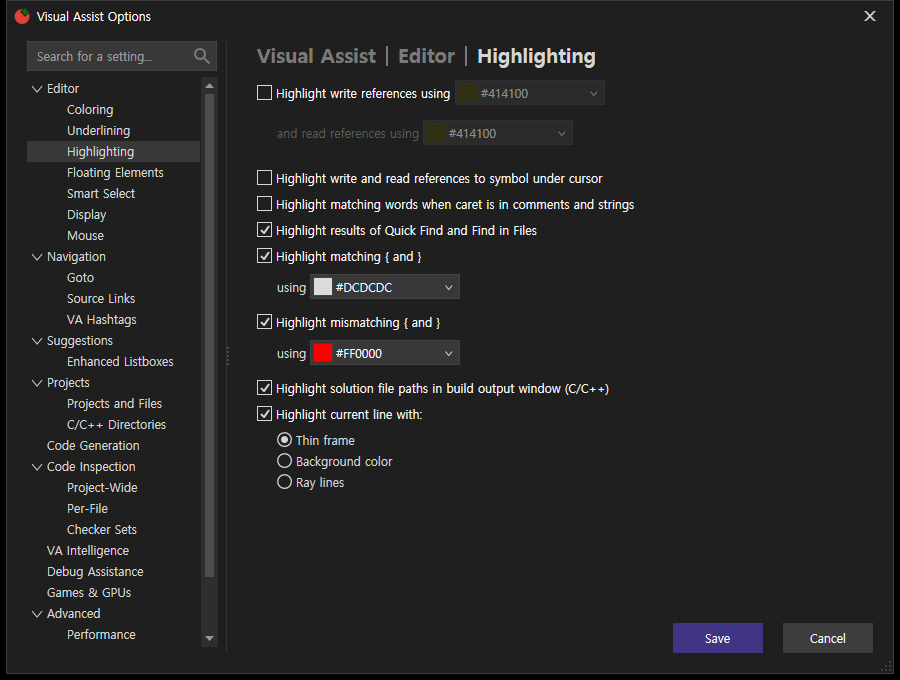
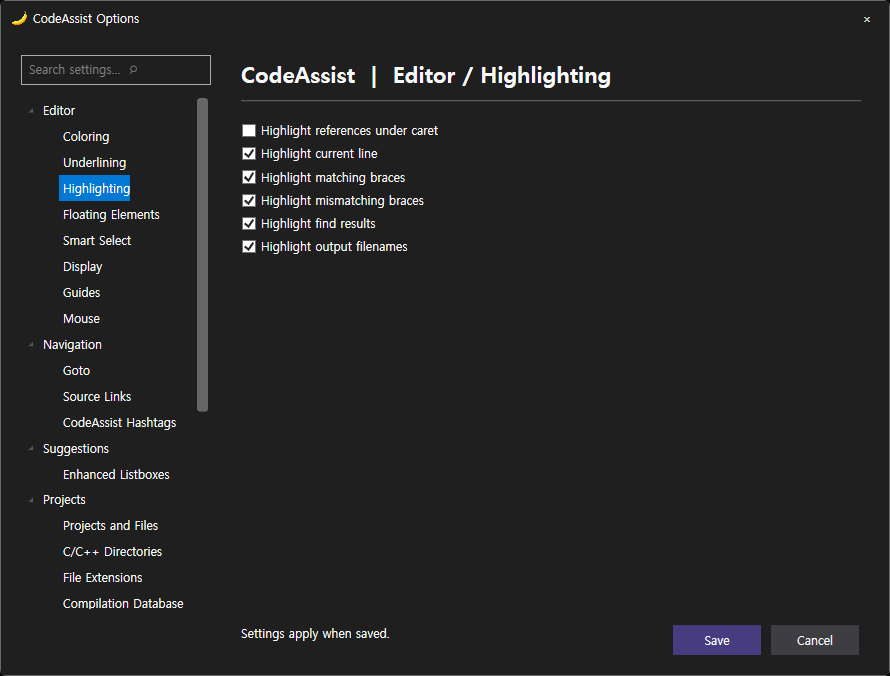
| Highlighting | True | 11 실제 표시 항목 Ra_y lines = False _Background color = False _Thin frame = True Highlight c_urrent line with: = True Highlight _solution file paths in build output window (C/C++) = True Highlight mism_atching { and } = True Highlight _matching { and } = True Highlight _results of Quick Find and Find in Files = True Highlight matching words when caret is in _comments and strings = False Highlight _write and read references to symbol under cursor = False _Highlight write references using = False 화면 원본 | 6 실제 표시 항목 Highlight references under caret = Off Highlight current line = On Highlight matching braces = On Highlight mismatching braces = On Highlight find results = On Highlight output filenames = On 화면 원본 |
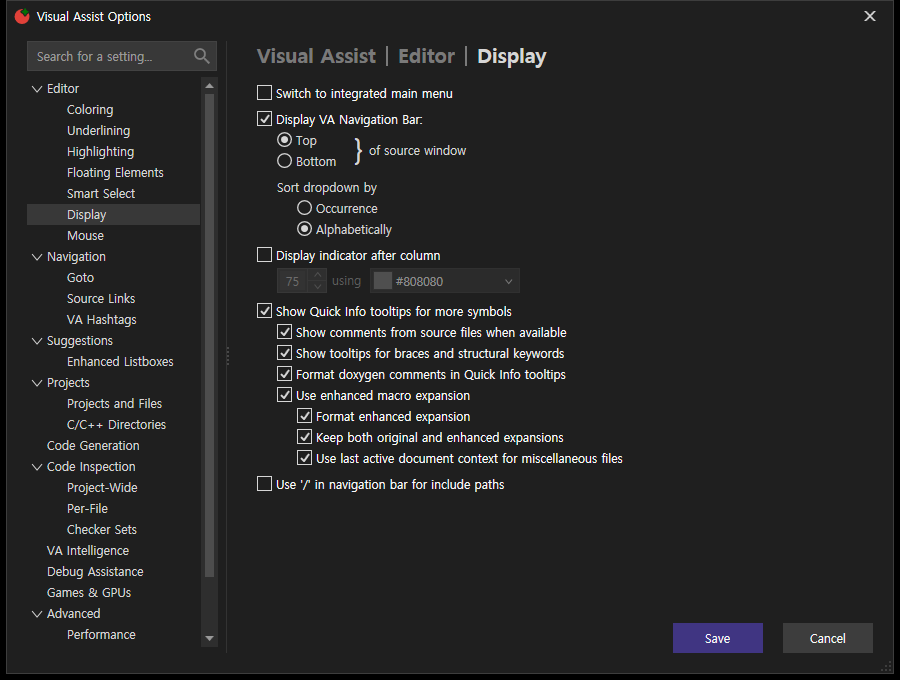
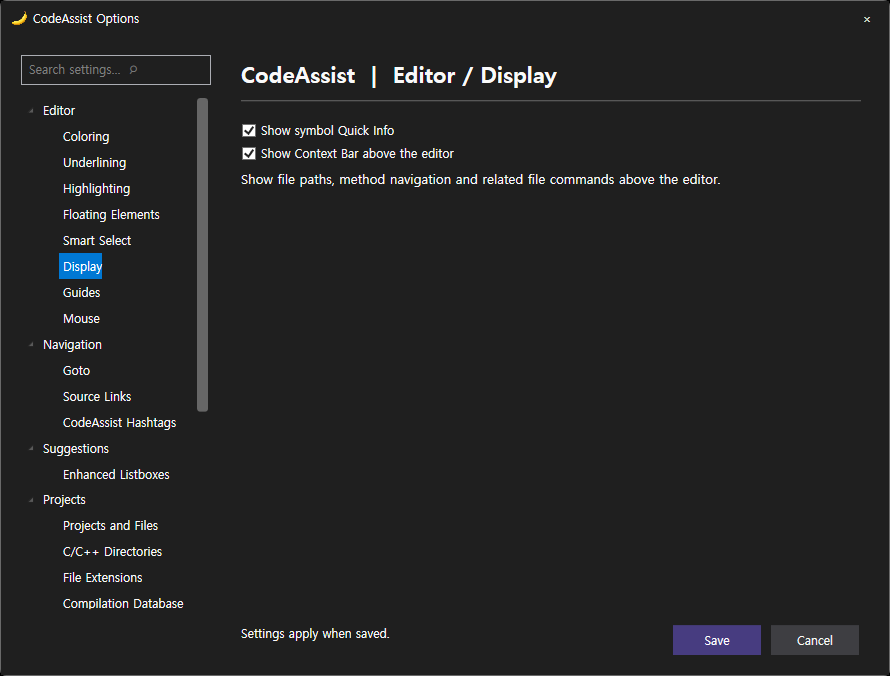
| Display | True | 16 실제 표시 항목 _Use '/' in navigation bar for include paths = False Use last active document context for miscellaneous files = True Keep both original and enhanced expansions = True Format enhanced expansion = True Use enhanced macro expansion = True Format do_xygen comments in Quick Info tooltips = True _Show tooltips for braces and structural keywords = True Show _comments from source files when available = True Show _Quick Info tooltips for more symbols = True _Display indicator after column = False _Alphabetically = True _Occurrence = False _Bottom = False _Top = True Display VA _Navigation Bar: = True S_witch to integrated main menu = False 화면 원본 | 2 실제 표시 항목 Show symbol Quick Info = On Show Context Bar above the editor = On 화면 원본 |
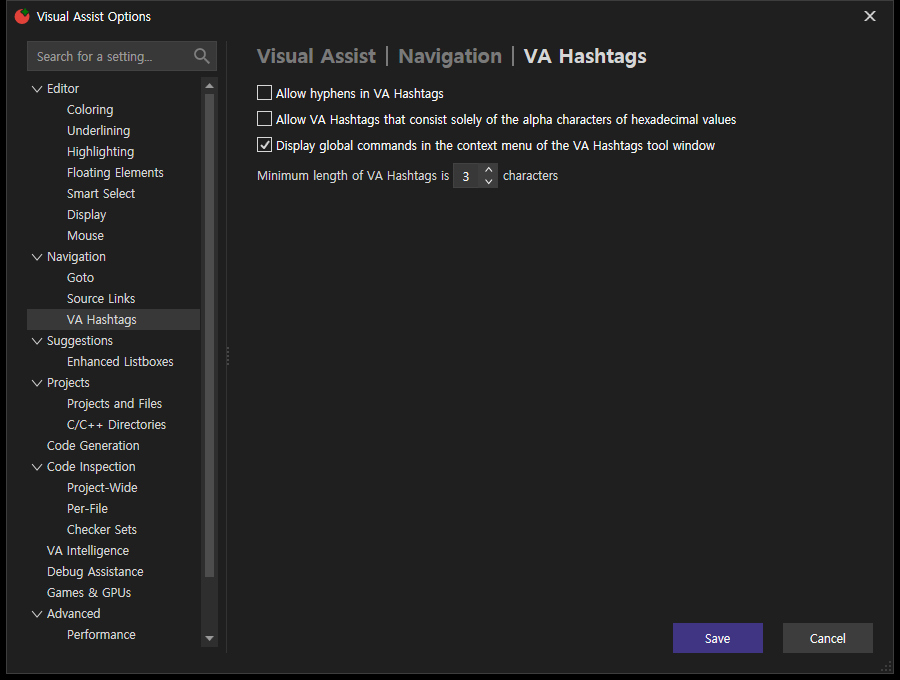
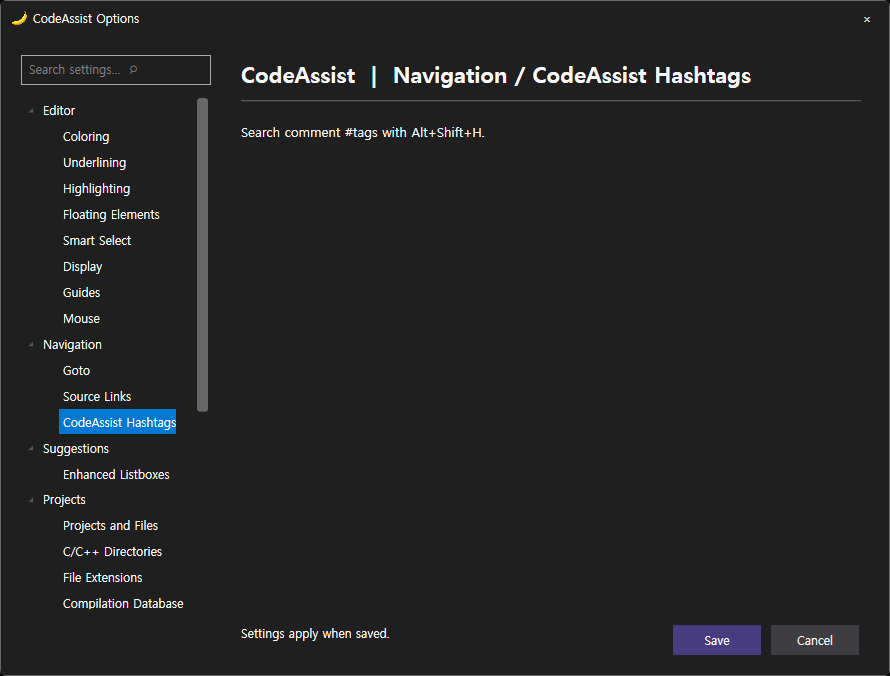
| VA Hashtags | True | 3 실제 표시 항목 _Display global commands in the context menu of the VA Hashtags tool window = True Allow VA Hashtags that consist solely of the alpha _characters of hexadecimal values = False _Allow hyphens in VA Hashtags = False 화면 원본 | 0 실제 표시 항목 화면 원본 |
| Editor | True | 20 실제 표시 항목 Double effective rate of _key repeat = False _Insert __ after m and Shift = False Convert _dot to -> if operator -> is overloaded = True _Convert dot to -> in C/C++ = True Insert a space _when toggling a line into a comment = True With _VA Snippets = True # = True { = True ( = True * = True / = True _Surround Selection via character toggles = True on _the same line = False _on the next line = False after a _blank line = True I_nsert () and closing } ) ] " = True _Extend multi-line comments = False _Format after paste = True Display _paste menu with = True _Repair case = True 화면 원본 | 15 실제 표시 항목 Repair type name case = Off Format after paste = Off Extend multi-line comments = Off Insert () and closing brackets and quotes = On after a blank line = None on the next line = None on the same line = None Surround Selection via character toggles = On / = On * = On ( = On { = On Insert a space when toggling a line into a comment = On Convert pointer dot to arrow = Off Insert underscore after m and Shift = Off 화면 원본 |
| Enhanced Listboxes | True | 11 실제 표시 항목 Default _Intellisense = True _Visual Assist = False _Enter = True _Additional characters = False _Tab = True _List non-inherited entries first = False _Bold non-inherited members = True _Prefer Acronym matches = True Allo_w Acronyms and Shorthand = True _Shrink as you type = True _Display filtering toolbar when hovering = True 화면 원본 | 7 실제 표시 항목 Suggestion lists = On Acronym completion = On Shorthand completion = On Snippet suggestions = On Accept with Tab = On Accept with Enter = On Use Visual Studio default completion colors = Off 화면 원본 |
| Coloring | True | 9 실제 표시 항목 _Show system symbols in italics = True Show local symbols in _bold = True VA _Navigation Bar = True _Views = True _Object Browser = True _Listboxes = True _Tooltips = True Text E_ditors = True _Enable Enhanced Syntax Coloring = True 화면 원본 | 2 실제 표시 항목 Enable enhanced symbol coloring = On Use Visual Studio default completion colors = Off 화면 원본 |
| Underlining | True | 2 실제 표시 항목 _Underline unrecognized symbols using = False Underline _spelling errors in comments and strings using = True 화면 원본 | 1 실제 표시 항목 Enable basic file diagnostics = On 화면 원본 |
| Project-Wide | True | 5 실제 표시 항목 Confirm before _applying all listed quick fixes = True Parse what is in the editor before you _save = True Skip the _Unreal Engine project when including all projects = True Show the _Stats tab = False Show the VA Code Inspection tool window when a question needs an answer = True 화면 원본 | 4 실제 표시 항목 Ask in the notification bar = None Project-wide basic inspection = None Per-file inspection = None Disable inspections = None 화면 원본 |
| Per-File | True | 5 실제 표시 항목 Enable _while debugging = False Even when on _battery power = True _Reparse automatically = True _Show ticks in vertical scroll bar = True _Underline/dim code issues = True 화면 원본 | 1 실제 표시 항목 Enable per-file inspection = On 화면 원본 |
| Code Generation | True | 3 실제 표시 항목 Insert _open brace on new line during Introduce Variable and Add Braces = True _Include default parameter values in generated C/C++ implementations = True _Maintain order in header and source files for generated C/C++ implementations = True 화면 원본 | 0 실제 표시 항목 화면 원본 |
| Debug Assistance | True | 3 실제 표시 항목 _%APPDATA%\VisualAssist\ = True $(_SolutionDir).va\ = False _Enable debugger integration required by VA Step Filter for native C/C++ = True 화면 원본 | 1 실제 표시 항목 Step filter enabled = Off 화면 원본 |
| Source Links | True | 8 실제 표시 항목 = True = True = False = False = False = False S_how action = True _Enable Source Links = True 화면 원본 | 2 실제 표시 항목 Enabled = On Regular expression = Off 화면 원본 |
| Projects and Files | True | 6 실제 표시 항목 Display project nodes in _Rename dialog references lists = True _Display project nodes in Find References results = True Enumerate project references _thoroughly = True if Solution is _not empty = False if _Solution is empty = True _Parse files without extensions as headers = False 화면 원본 | 0 실제 표시 항목 화면 원본 |
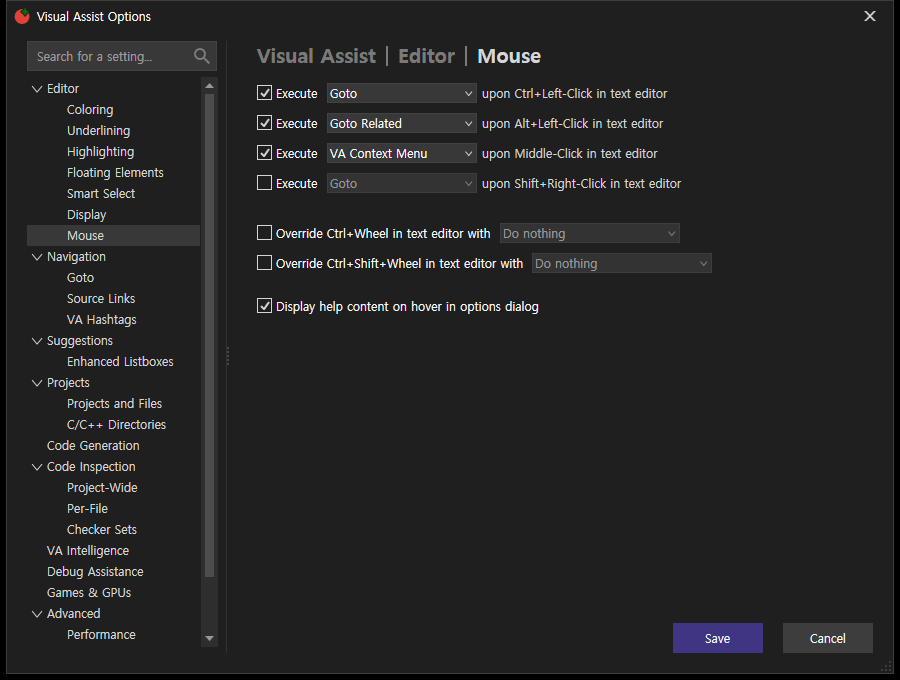
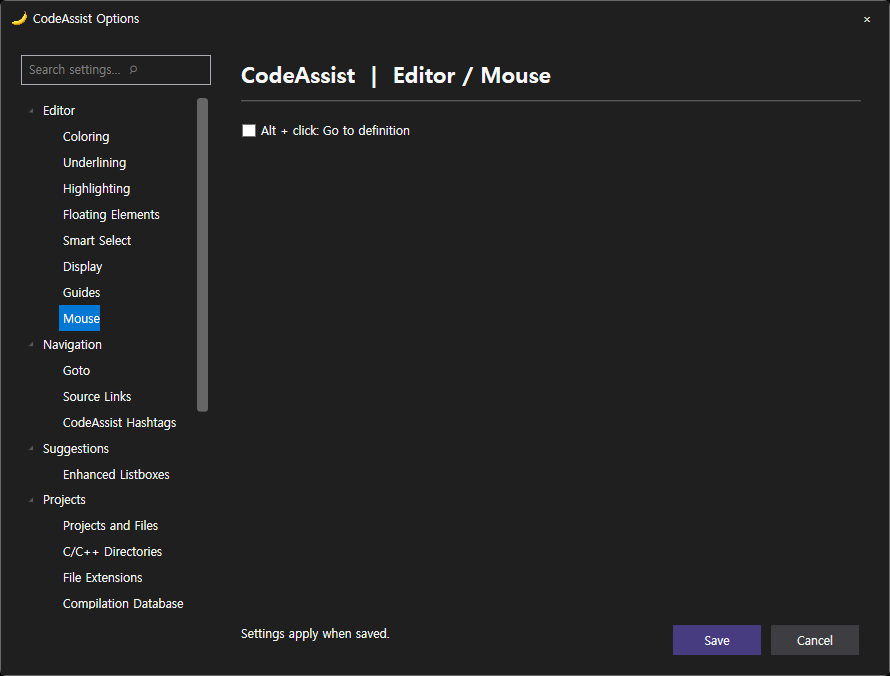
| Mouse | True | 7 실제 표시 항목 _Display help content on hover in options dialog = True Override Ctrl+Shift+_Wheel in text editor with = False _Override Ctrl+Wheel in text editor with = False Execute = False Execute = True Execute = True Execute = True 화면 원본 | 1 실제 표시 항목 Alt + click: Go to definition = Off 화면 원본 |
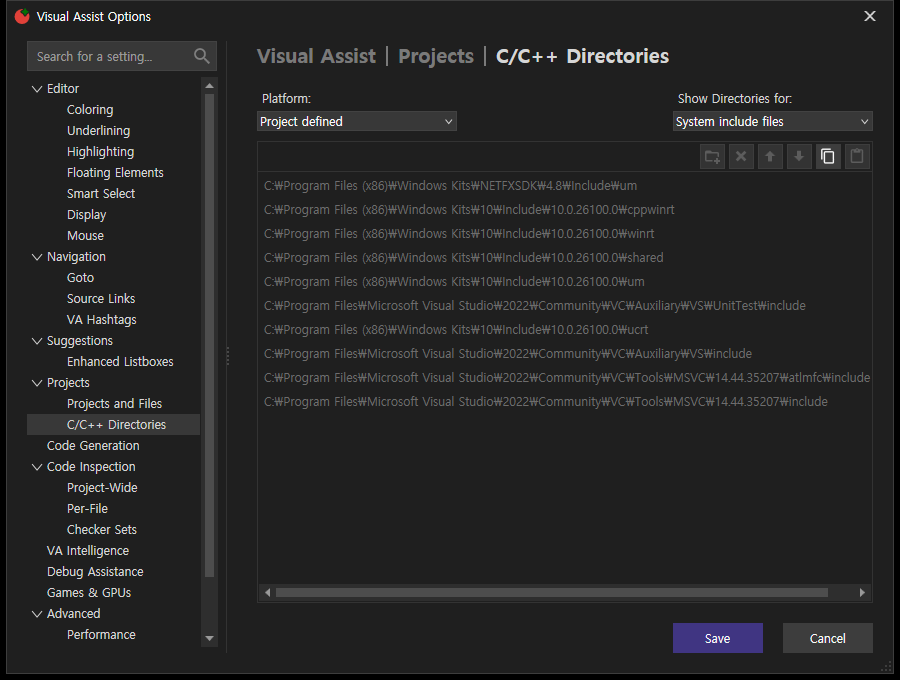
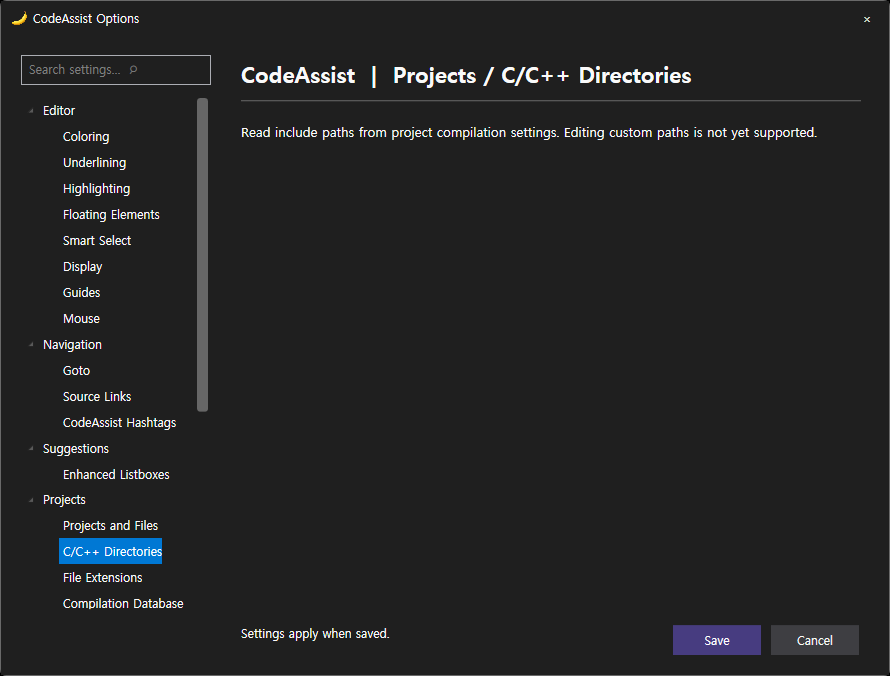
| C/C++ Directories | True | 0 실제 표시 항목 화면 원본 | 0 실제 표시 항목 화면 원본 |
| Performance | True | 6 실제 표시 항목 _Use alternate directory for symbol database = False Do not parse files excluded by .vscode\settings._json = False _Parse all files when opening a project = True _Watch for externally modified files and reparse when necessary = False Limit the maximum _number of concurrent threads to = True Enable _multithreaded parsing = True 화면 원본 | 0 실제 표시 항목 화면 원본 |
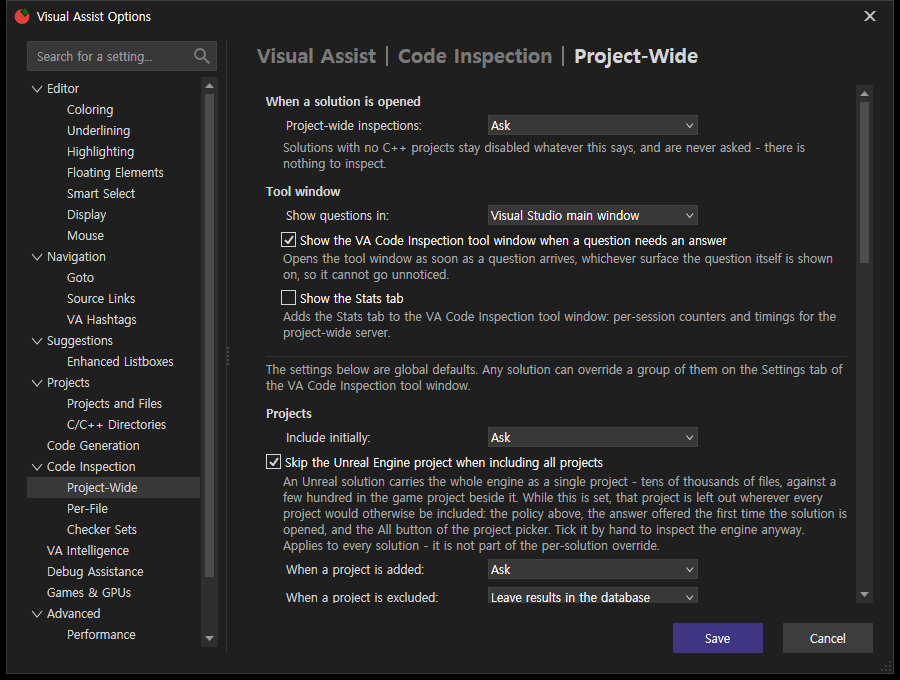
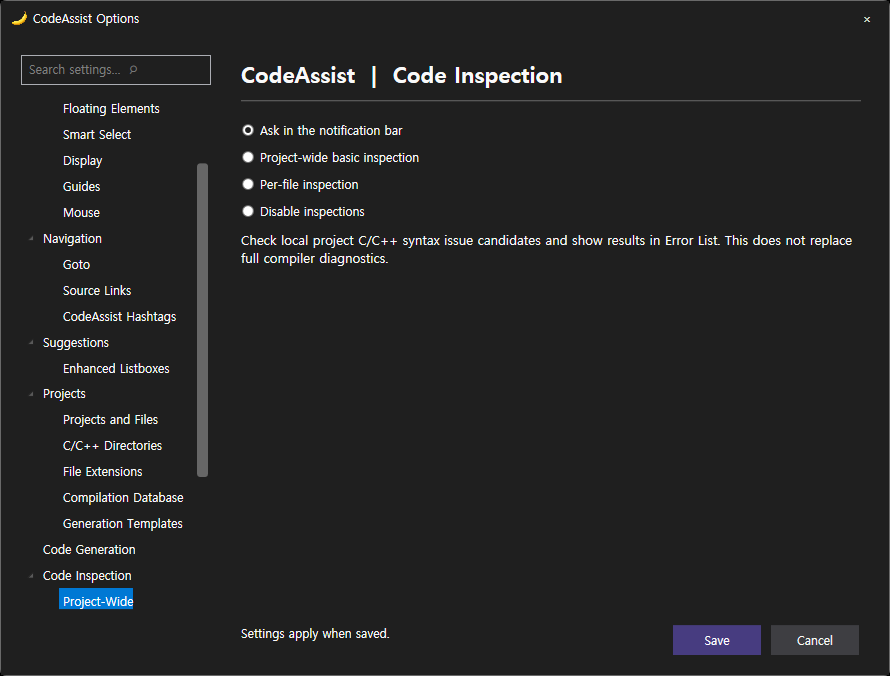
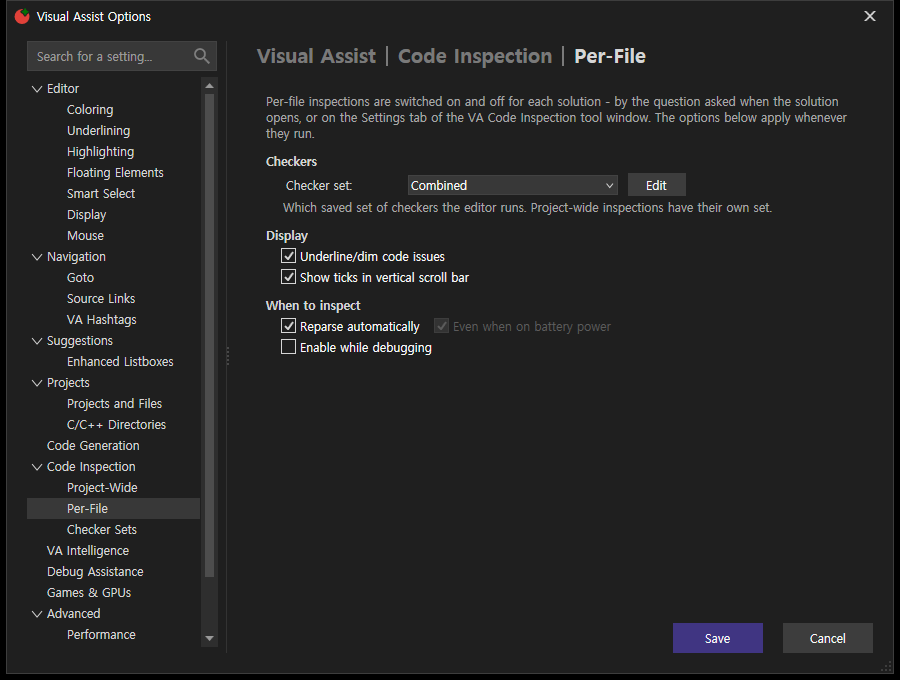
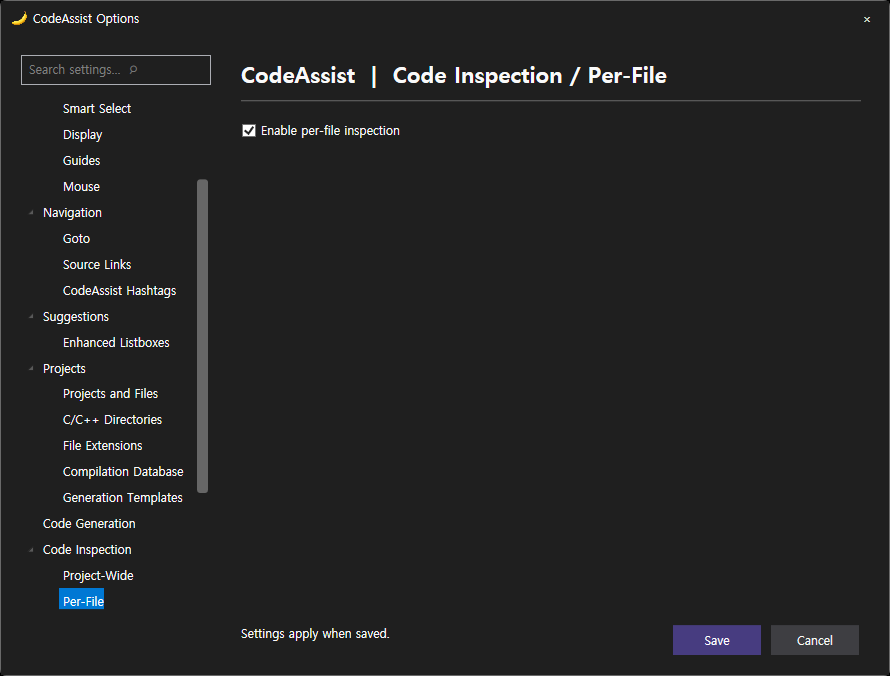
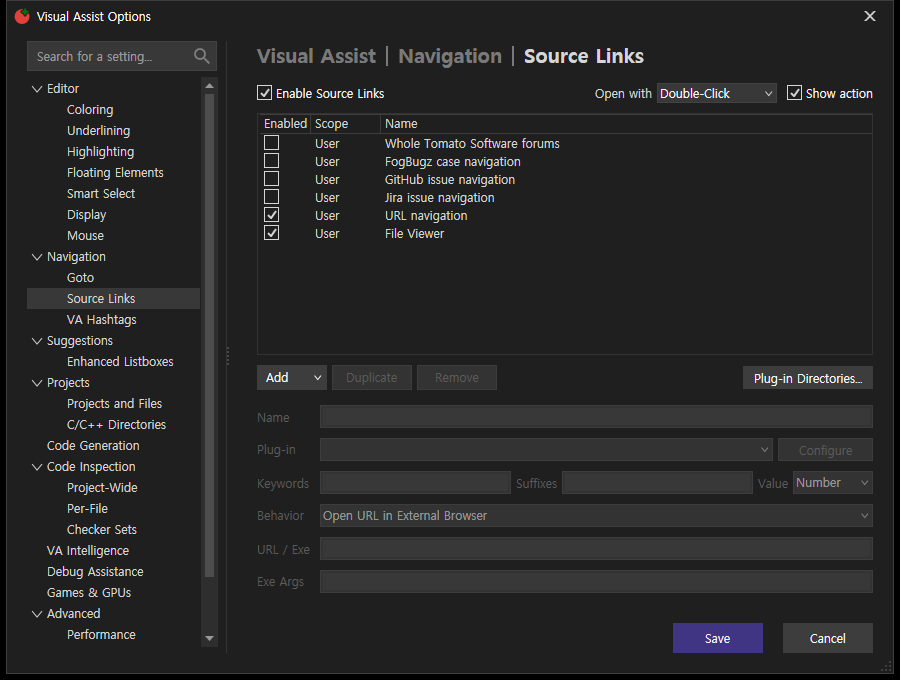
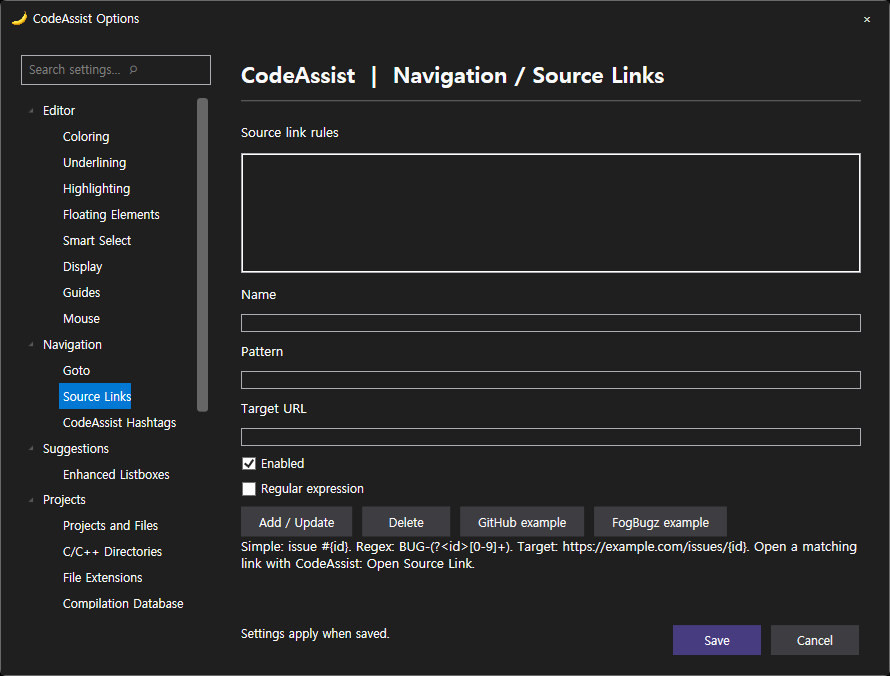
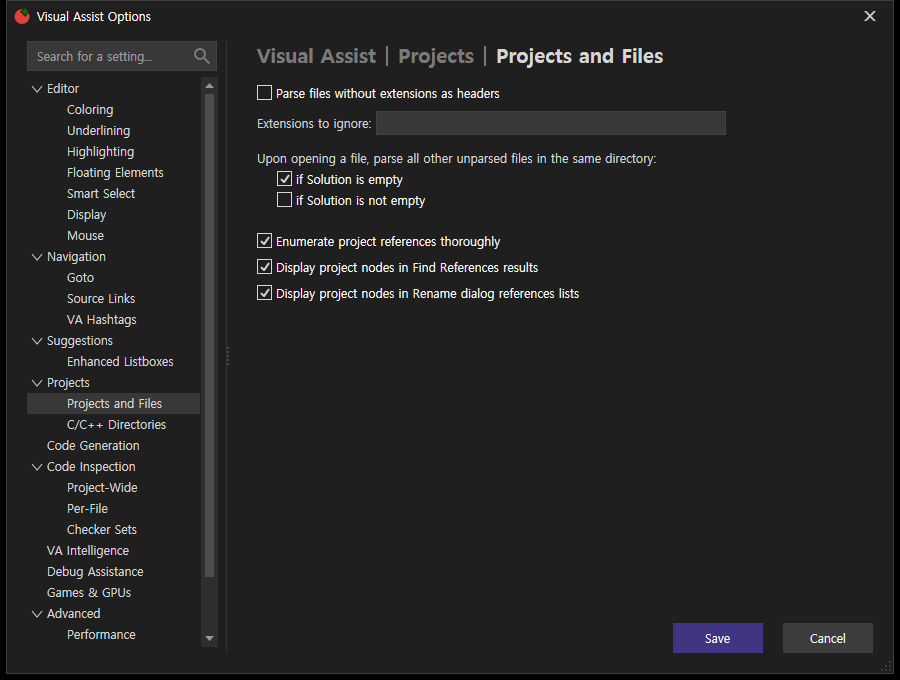
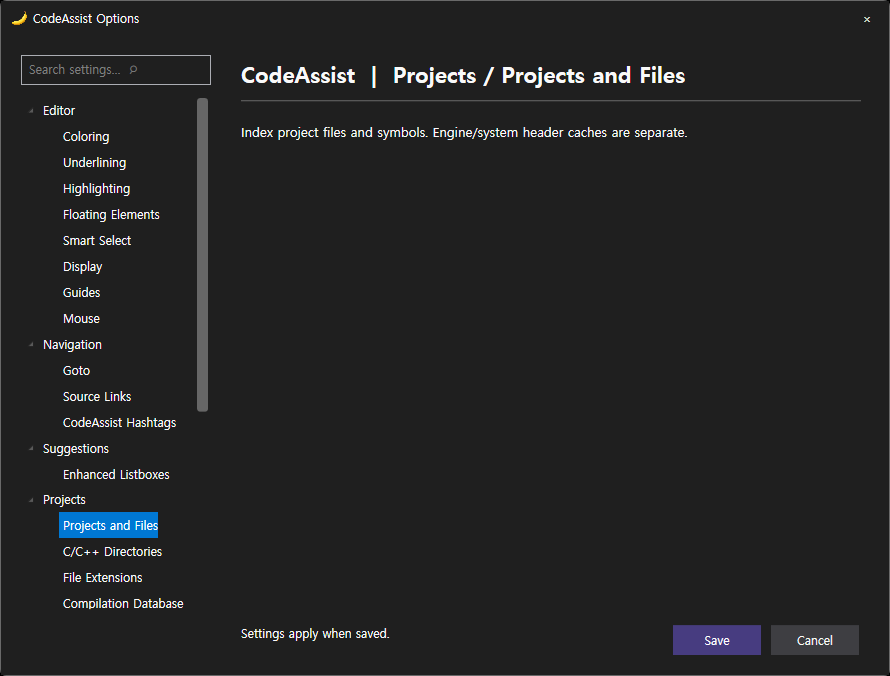
전체 촬영 · 검증 JSON
전후 화면 34/68 · 전체 유사도 미확인 · 전체 기능 적용/경계 검증 미완료. 문서 부분 명세108/108(100%)은 전체 역분석 완료율이 아닙니다.
제안 시간10분 · 실제 10분 10초 · 2026-10-18 02:21:52 KST
XERJ: 사용 — ProductOptions 검색 및 현재 소스 대조.
원문과 편집 이력
- 원문 SHA-256:
a2954a3c31c6f18eb5bb2abcc7b929baa8bd2cfa20c5d70298fab84f3d5eb33c - 표시 날짜는 원본 파일의 수정 시각입니다. 작업 완료 시각은 원문에 있는 값을 기준으로 확인합니다.